Blackmagic Design 3 Year Extended Warranty for DaVinci Resolve Mini Panel
Blackmagic Design
BMD-DV/RES/BBPNLMINI-EW
$325.00
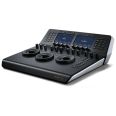
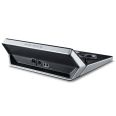
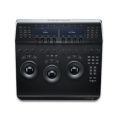
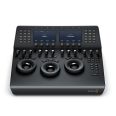
Compact professional hardware control panel
MPN: BMD-DV/RES/BBPNLMINI SKU: BMD-DV/RES/BBPNLMINI

A compact professional hardware control panel featuring 3 high resolution weighted trackballs, 12 control knobs for essential tools and an upper deck with two 5” screens, 8 soft knobs and 8 soft buttons, and dedicated keys for switching tools, working with nodes, grabbing stills, navigating the timeline and more!
INCLUDES FREE DAVINCI RESOLVE LICENSE


Ask our team about our Price Match Pledge.
Get in touch
In stock
Usually Ships in 1-2 Days
The Blackmagic Design DaVinci Resolve Mini Panel is a condensed panel filled with an extensive combination of features and controls. Like the micro panel, three professional trackballs are provided along with a variety of buttons for switching tools, adding colour correctors and navigating your node tree. Two colour LCD screens that display menus are also provided, along with controls and parameter settings for the selected tool and direct access buttons that let you go direct to the menus for specific DaVinci features. The Blackmagic Design DaVinci Resolve Mini Panel is ideal for editors and colourists that need to regularly switch between editing and colour grading, or freelance colourists in need of a panel easily transported between facilities. The mini panel is also well suited for colourists working on location shoots, for corporate and event videographers, houses of worship and more.
To take your colour grading to the next creative level, the DaVinci Resolve Mini and Micro panels include 12 dedicated primary colour correction control knobs. These are designed to make it easy for you to stylise the look of your images and generate precise “film looks.” Every knob can be pressed to instantly reset the control, perfect for when you are experimenting with a new style but become a little lost in the process. Simply press the knobs to reset.
Control the balance between the YRGB adjustments and Y only adjustments made using the Y channel lift, gamma and gain controls in the primaries palette or the un-ganged luma curve. Trackballs provide RGB balance adjustments for lift, gamma and gain, each with a master level control. The Advanced panel also features a dedicated RGB offset and master gain trackball to adjust the tint and brightness of the whole image. The trackballs can be set to work in either log or RGB with the touch of a button.
The buttons and keys on the DaVinci Resolve control panels illuminate when selected so you can easily see which controls are active. On the Advanced and Mini panels, the keys are also backlit, making it easy to clearly see each button in a dimly lit suite.
 Expertise
Our team of audio experts are here to help you find the right solution for your studio.
Get in touchBlackmagic Design
BMD-DV/RES/BBPNLMINI-EW
 ESV Insight
Genuine products with full
warranty and support

Speak to real people
who know their gear.

A personal friendly service
you can rely upon.

Studios, broadcasters and
creators across the UK.

Free UK delivery
on orders over £249