Blackmagic Design 3 Year Extended Warranty for Ethernet Switch 360P
Blackmagic Design
BMD-DWCSWA/MODC360P-EW
$295.00
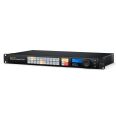
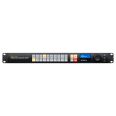
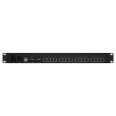

High performance low latency Ethernet switch, includes 16 fast 10G Ethernet and 2 high speed 100G Ethernet ports, rear Ethernet connections and NMOS protocol for 2110 IP video workflow.
SKU: BMD-DWCSWA/MODC360P

Blackmagic Ethernet Switch 360P is the first Ethernet switch designed specifically for the film and television industry. It is a high performance low latency Ethernet switch with 16 fast 10G Ethernet and 2 high speed 100G Ethernet ports, QSFP connection for high speed copper cables or longer optical fiber cables, rear Ethernet connections for better cable management and NMOS protocol for 2110 IP video workflows.


Ask our team about our Price Match Pledge.
Get in touch
In stock
Usually Ships in 1-2 Days
Blackmagic Ethernet Switch
The Blackmagic Ethernet Switch 360P is the first Ethernet switch designed for the film and television industry. It has extremely high performance plus low latency. All the Ethernet connections are on the rear, which means the cables are neater, hidden from users and more secure. You get 16 fast 10G Ethernet ports and 2 extremely high speed 100G Ethernet QSFP sockets for copper cables or optical fiber modules. Plus there’s a router panel built into the front so you can set 2110 IP multicasting using familiar video routing so you don't need a team of IT technicians. Users won't even know they're routing SMPTE-2110. It's a simple plug and play solution with everything needed for television work.
Designed by Broadcasters for Broadcasters
The Blackmagic Ethernet Switch 360P has been designed specifically for the television industry. This means all network connections are on the rear, which is the same side as the network ports on your broadcast equipment. This makes connecting network cables simple. Standard data switches have their connections on the front which means the cabling becomes a total mess. If you mount data switches on the rear your data cables are not secure. We have also sampled router settings so you don't need an IT team. You can even update SMPTE-2110 IP multicast settings using a regular Videohub router style front panel. That's so simple and is very familiar to the television industry.
Connect Creative Workgroups and Build 2110 IP Systems
Includes Lots of High Speed Ethernet Ports
Video Router Panel for Easy 2110 IP Multicast Settings
Now you can create self contained 2110 IP systems without needing an IT technician to configure complex multicast settings, because you can route IP video using a router control panel. It’s the exact same front panel as our Videohub routers, so it’s very familiar and broadcast friendly. It includes a machined metal spin knob, color LCD and short cut buttons. You can simply scroll the IP video sources and press the take button to make the connection. Blackmagic Ethernet Switch 360P will then setup all the multicast settings in the background without the complex IT settings. Whenever a new 2110 IP device is connected, it will automatically appear in the list. That makes it very plug and play.
Elegantly Designed Front Panel
The built in front control panel is where you route video, which will take care of all the 2110 IP multicast settings for you, so you don't need external computers and IT configuration. The front panel is similar to a Blackmagic Videohub router so it features the same spin knob for browsing, direct entry buttons for speed and an LCD for displaying labels. The LCD also has menus so you can change the Blackmagic Ethernet Switch 360P settings.
Includes HDMI Monitoring with Real Time Speed Graphs
In broadcast, it’s important to know what's going on so you can see issues before they happen. Blackmagic Ethernet Switch 360P includes an HDMI output that shows you each Ethernet connection in a visual status display. Just connect any HDMI TV or computer monitor. You get the link speed, plus the current data transfer speed. There's also a live data graph for each port that shows you the data rate vs the port capacity over time. The data rate graphics are really helpful when recording multiple record streams to storage as it's incredibly easy to see any bandwidth issues or data stalls. The monitor output also shows the switch custom name. It can even show connected 2110 IP device names.
Connections
IP Video Compliance
Displays
Control
Software
Operating Systems
Power Requirements
Physical Installation
Environmental Specifications
Warranty
 Expertise
Our team of audio experts are here to help you find the right solution for your studio.
Get in touchBlackmagic Design
BMD-DWCSWA/MODC360P-EW
 ESV Insight
Genuine products with full
warranty and support

Speak to real people
who know their gear.

A personal friendly service
you can rely upon.

Studios, broadcasters and
creators across the UK.

Free UK delivery
on orders over £249